Flutter package · MIT licence
Guidester
In-app tester feedback for Flutter. Testers tap anywhere in your app, type what's wrong, and it lands on your dashboard with a screenshot, the screen name, the device, the build, and the error that caused it.
flutter pub add guidester
What it does
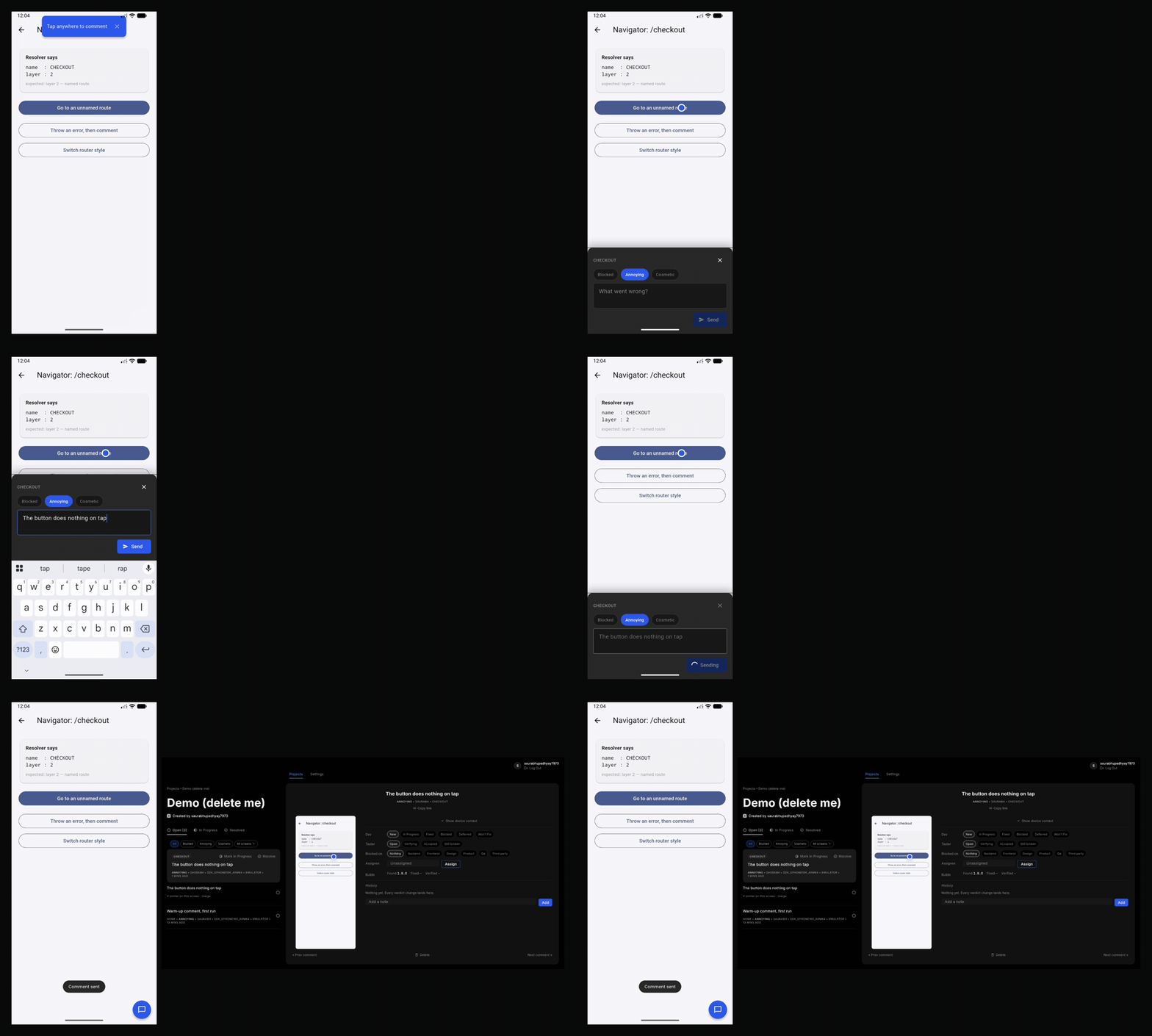
For your testers, it is three taps. The app keeps running underneath the whole time.
Tap the bubble
In the corner of the test build.
Tap the spot
The one that's wrong. A pin drops there.
Type what's wrong
Pick how bad it is and send. Optionally mark up the screenshot.
The comment arrives on your dashboard with the screenshot and pin, the screen name, device, build, and the last errors the app threw. When you mark it fixed, the tester is asked on their next launch whether it works now.
How it's built
It doesn't take over your app
No pushed route, no swapped widget tree. It wraps your MaterialApp builder and stays out of your navigator.
Screen names without a router dependency
Four fallback layers resolve the screen name, so it works whether or not you use go_router, auto_route or beamer.
Self-hosted by design
Screenshots go to your own Supabase project. There is no Guidester server in between.
Install
flutter pub add guidesterThen add two lines to your app — one in main(), one on your MaterialApp:
Guidester.init(apiKey: myKey, endpoint: myEndpoint);
builder: (context, child) => GuidesterOverlay(child: child!),
Backend setup is one script and takes about 15 minutes, once. The full quick start is in the README on GitHub.
Pricing
Guidester is free and open source under the MIT licence. You host the backend yourself, so there is nothing to subscribe to. If hosted plans launch, they will be announced here.